Like most of the talent professionals looking for VidCruiter reviews, you're managing more applicants than your current process can handle. The good news is that VidCruiter is a real solution to that problem. But only when used for the right hiring process.
Here’s a quick summary of how VidCruiter works and who it’s best for:
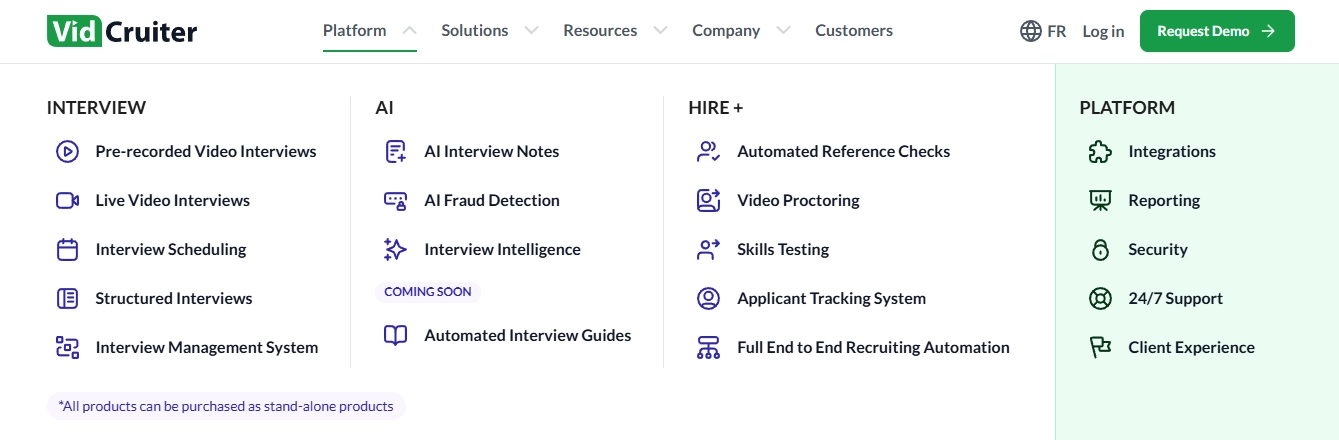
This workflow can cover the full interview lifecycle, from async pre-recorded video interviews and live interviews through to automated reference checking, skills testing, and interview scheduling. That way, it’s easy for your team to configure it around their existing recruitment process, to ensure a compliant automated hiring workflow.
Who it's best for:
VidCruiter is best suited for organizations managing high-volume or multi-role hiring with a dedicated TA team. That’s because its end-to-end coverage and highly configurable workflows require ongoing ownership and optimization.
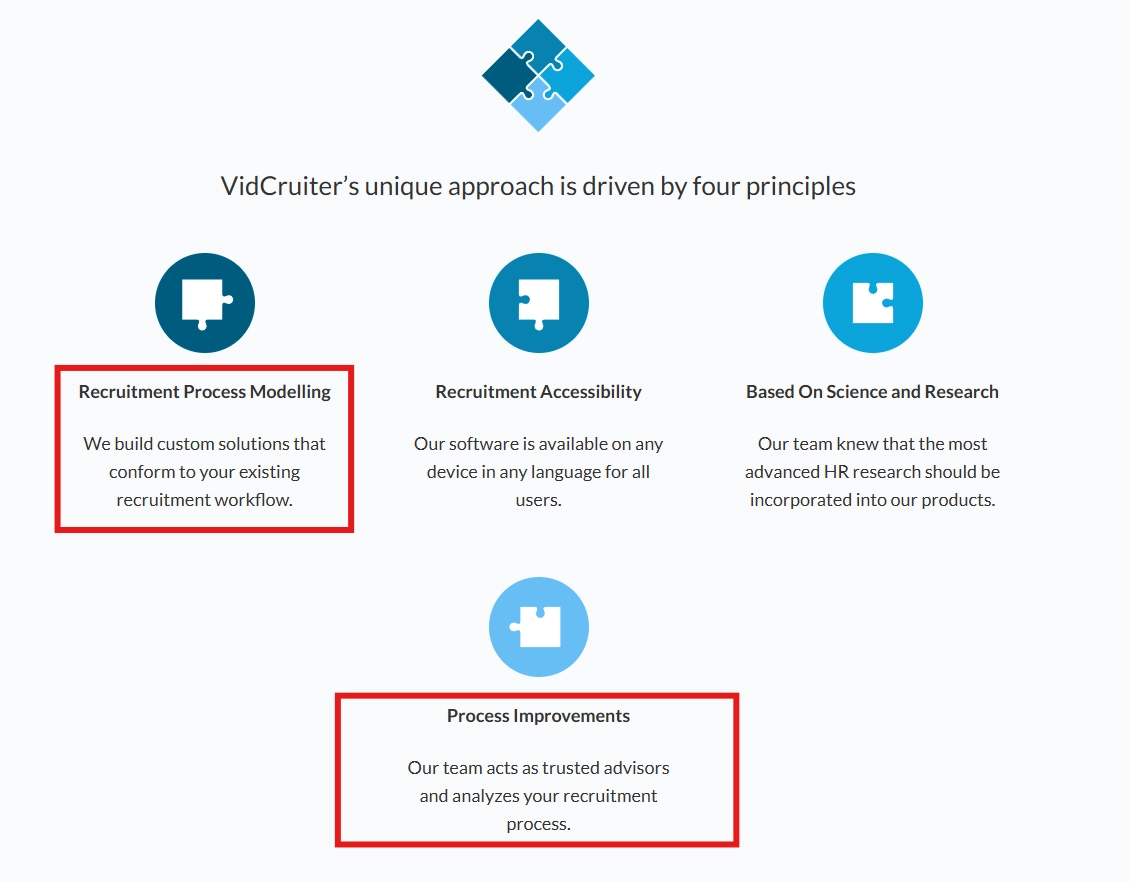
This flexibility introduces more processes and configurations across hiring stages, making it better suited to teams with dedicated TA ownership than those where hiring is managed alongside other responsibilities.
When to consider alternatives?
You should consider VidCruiter alternatives if you want to not only hire faster, but also remove friction at every stage, determine whether a candidate is worth your time from the very first interaction, and get clear enough pricing to actually plan around.
Say you're hiring 5–50+ roles a year at a high-growth team and need to move fast without the overhead. VidCruiter takes roughly two months to fully configure, prices features as separate modules without a published rate card, and is built for teams with dedicated implementation support behind them.
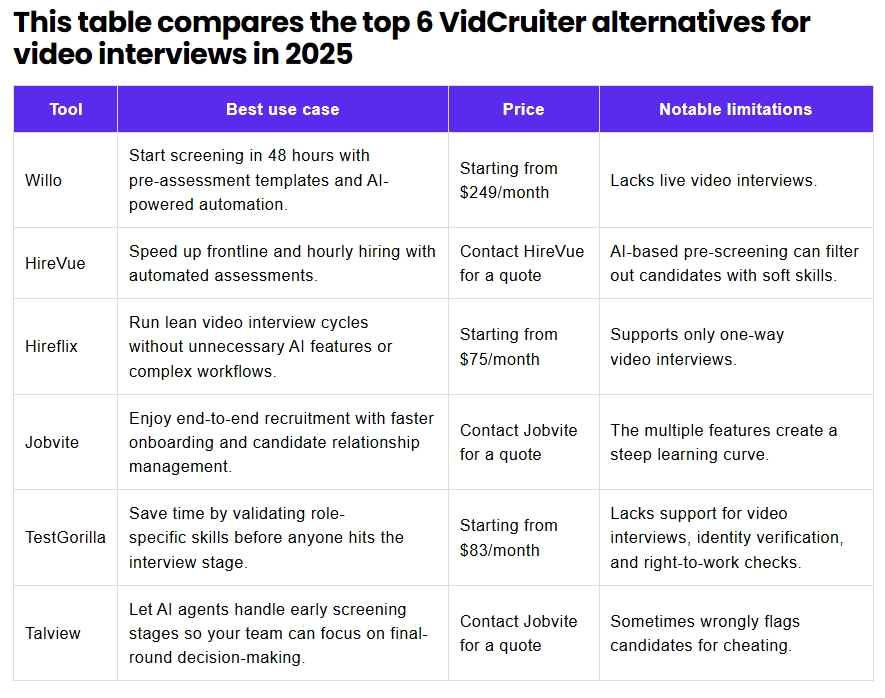
In that case, check out Willo. It's the only VidCruiter competitor that helps you screen faster and build a shortlist you can trust, without months of setup or paying for features you don't need.
VidCruiter at a Glance
Pros ✅
- Automated reference checking that turns a multi-week bottleneck into a 48-hour turnaround, without manual follow-up from your team
- End-to-end interview infrastructure covering pre-recorded video, live interviews, scheduling, skills testing, and a built-in ATS in one connected platform
- Highly configurable workflows that adapt to your existing recruitment process rather than forcing you to change it
- Deep enterprise integrations with Workday, SAP SuccessFactors, Oracle, ADP, UKG, and more — built for complex tech stacks
- Exceptional support team that works with your team hands-on through implementation and ongoing use
Cons ❌
- Long setup timeline — approximately two months before the platform is fully configured and running
- No published pricing — modular features are each priced separately, making it difficult to forecast costs without a sales conversation
- Reporting is admin-only — hiring managers cannot pull their own pipeline data without going through an admin
- Integration gaps outside the enterprise ecosystem — teams using tools like HubSpot or Bullhorn will need to find workarounds
- Template rigidity once live — making changes to active requisitions is more involved than most teams expect
Quick Note On Transparency
At Willo, we work in the candidate screening space every day. This review is grounded in verified user feedback, direct platform research, and real implementation patterns.
Here's what we did:
- Analyzed verified user reviews: Reviewed recent G2 and Capterra submissions for recurring patterns — specifically themes mentioned consistently across different organizations and team sizes
- Fact-checked against live documentation: Pricing estimates, feature availability, and integration claims verified against VidCruiter's public materials and third-party review data
- Compared against high-growth team needs: Evaluated against the hiring priorities most common among scale-up and mid-market teams — speed to hire, recruiter capacity, candidate experience, and total cost of ownership
This guide is designed to give you a clear view of where VidCruiter adds genuine value, where it's worth considering alternatives, and how to decide which approach fits your team's situation.
VidCruiter Pricing: What It Actually Costs
VidCruiter does not publish pricing publicly. Based on third-party review data from GetApp and SelectHub, pricing starts at approximately $5,000 per year — though this reflects the entry point, not the typical cost for a team using multiple modules.
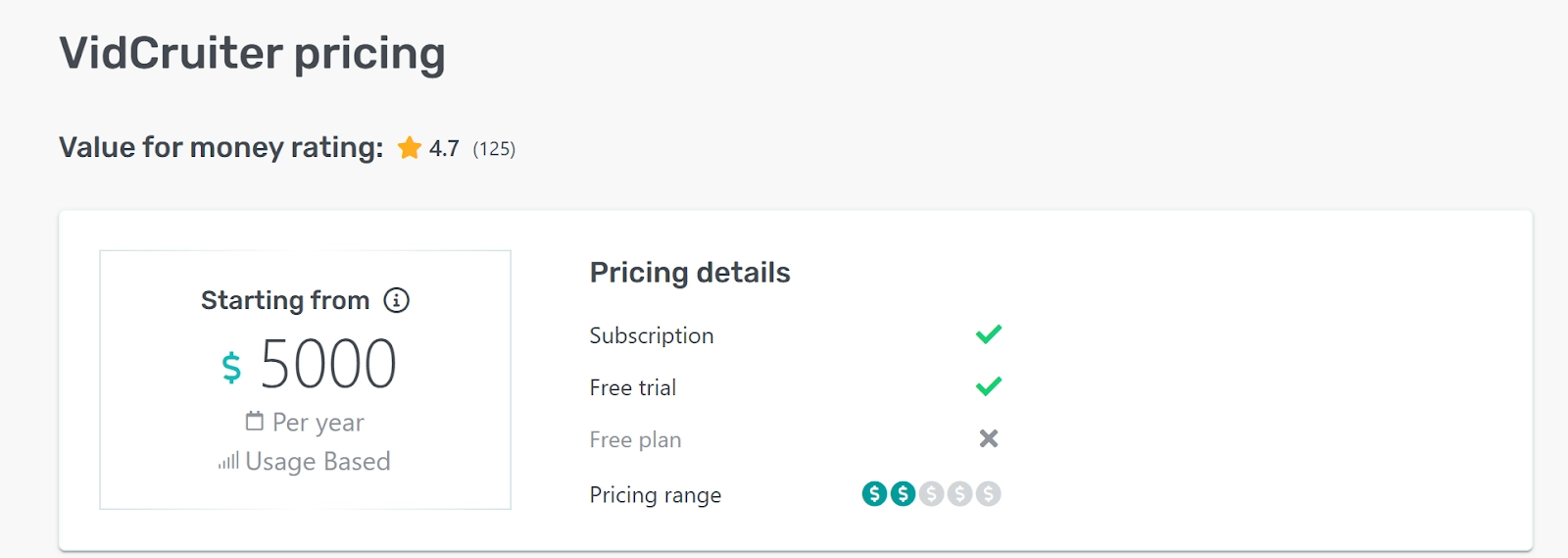
The structure of VidCruiter's pricing reflects how the platform is designed to be used: as a configurable, long-term hiring infrastructure rather than a plug-and-play screening tool.
What the pricing model implies
Each product in VidCruiter's suite is available as a standalone or as part of a connected bundle. That modularity gives enterprise teams the flexibility to pay for what they need. It also means the final cost depends heavily on which combination of products your hiring process requires, and that's something you won't know precisely until after a sales conversation.
Costs typically scale with:
- Number of modules enabled across the interview lifecycle
- Hiring volume and number of active requisitions
- Depth of ATS integration and configuration required
- Level of implementation support needed during setup
For context on how enterprise video interviewing platforms typically approach pricing, see our HireVue review, which covers a similar pricing range at a higher entry point.
What to factor into your total cost
The $5,000 starting point is worth treating as a floor rather than an estimate. Teams that need custom workflow configuration, multiple integrations, and ongoing implementation support will see costs that reflect that complexity. It's worth building in time for the sales and scoping process before you can accurately forecast what VidCruiter will cost for your specific setup.
For teams that need to plan budgets quickly, or want to understand costs before speaking to a sales team, it's worth comparing against platforms with published pricing. Willo publishes both plans directly. Lite costs $59 per live role, pay as you go, for up to 5 live roles and 150 assessed candidates per role. Enterprise starts from $3,799 per year on a tailored quote for teams that need native ATS integrations and governance built in. See current pricing at Willo's pricing (as of August 2026).
Real User Reviews: What Are Customers Saying About VidCruiter?
We went beyond the aggregate star ratings. Our analysis is based on verified G2 and Capterra reviews — specifically looking for patterns that show up consistently across different organizations, team sizes, and industries rather than isolated opinions.
- Overall G2 Rating: 4.8/5 ⭐ (240+ reviews)
- Overall Capterra Rating: 4.6/5 ⭐ (125 reviews)
.webp)
These are strong scores. And as the patterns below show, they reflect genuine satisfaction — particularly among the enterprise and mid-market teams VidCruiter is built for.
✅ When VidCruiter is configured well, it genuinely removes the work that was slowing you down
If you've spent any time coordinating phone screens, chasing reference responses, or manually moving candidates between tools, you already know how much of a recruiter's day disappears into administration that has nothing to do with actually evaluating talent. What VidCruiter's strongest reviews have in common is that they describe a version of recruiting where that administrative drag is mostly gone.
The pattern is consistent across enterprise and mid-market reviewers alike. Candidate progression that used to require manual follow-up at every stage now happens automatically. Reference collection that used to take two weeks of phone tag now arrives in 48 hours without anyone on the recruiting team touching it. Hiring managers who used to wait for a spreadsheet update now have visibility into pipeline status without asking for it.
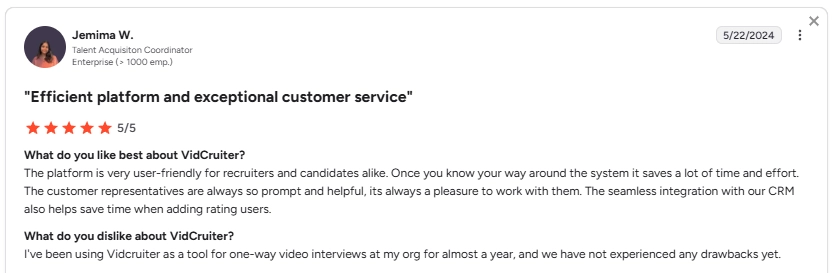
One enterprise reviewer described the end result plainly: once you know your way around the system, it saves a lot of time and effort.
Another mid-market reviewer captured the compounding effect of having everything connected: a platform with everything — video, automations, CV sorting — in one place, which meant no more reconciling data across separate tools.
✅ The support model is part of what makes the platform work — and that matters for your evaluation
VidCruiter is a complex, configurable platform. And part of what makes that complexity manageable is a support model built around it. G2 and Capterra reviewers across industries describe a team that feels like an extension of their recruiting function rather than a vendor responding to tickets. Specifically, users describe working through configuration challenges with named individuals who know their setup and stay engaged over time.
A Talent Acquisition Coordinator at a 600+ employee organisation noted that customer representatives are always prompt and helpful, and that the seamless CRM integration saves time adding rating users.
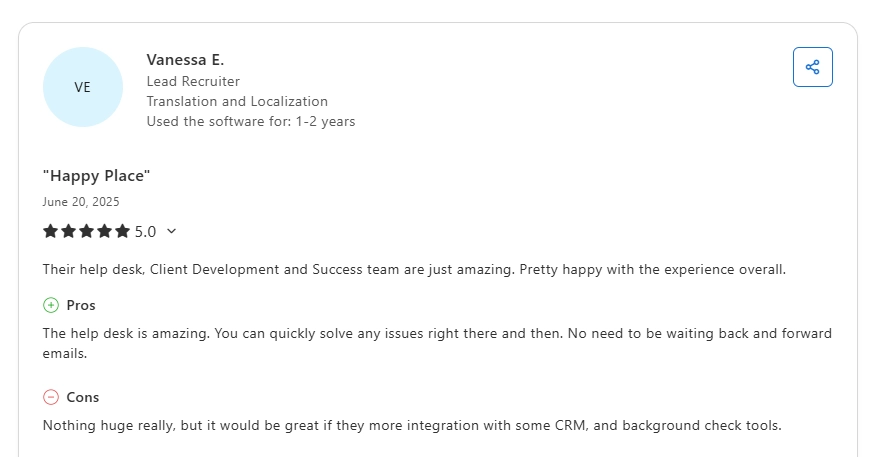
A Founder at a mid-market firm described implementation as straightforward because of a knowledgeable team that walked them through it.
So, if VidCruiter's depth is what you need, the support model is a genuine asset. But if your team doesn't have the bandwidth to engage with that kind of hands-on implementation process — or if you need to be self-sufficient from day one — it's worth factoring in how much of the platform's value depends on that ongoing relationship.
❌ The time it takes to get value out of VidCruiter is a real constraint — not just a one-time setup cost
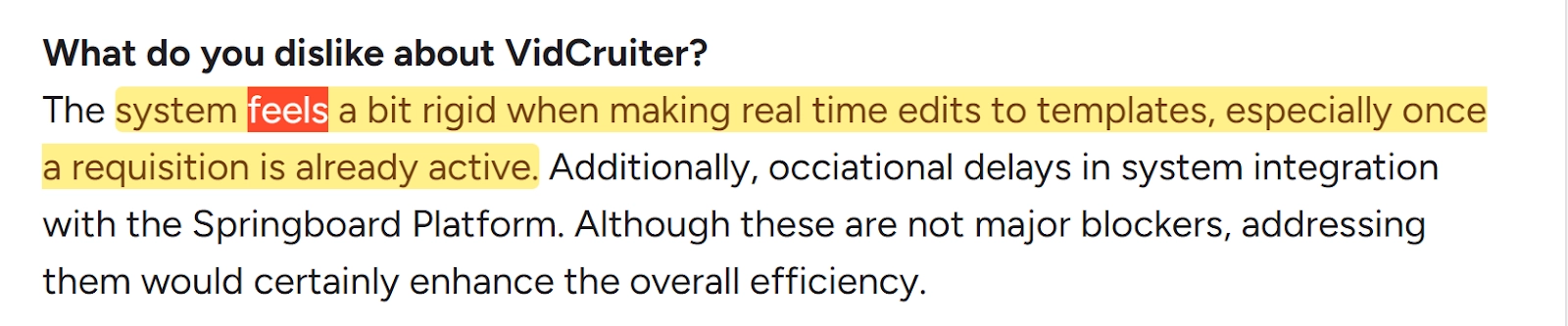
One of the most important things the negative review patterns reveal is that VidCruiter's friction isn't limited to the initial implementation. It surfaces repeatedly in the day-to-day: templates that become rigid once a requisition is live, extra steps when adding candidates mid-process, configuration changes that require more effort than teams anticipated when they signed up.
A Compliance Lead at a mid-market organisation described the system as feeling rigid when making real-time edits to templates once a requisition is already active.
A Program Manager in TA noted that the absence of mass-edit functionality for positions and users becomes time-consuming at scale.

This matters because it reframes how you should think about the setup timeline. Two months to go live is the headline number, but the deeper issue is that the platform rewards teams who can invest consistently in learning and maintaining it.
For teams that are still evolving their hiring process — or whose roles and requirements shift frequently mid-campaign — that rigidity creates a compounding cost.
❌ Outside the enterprise ecosystem, the integration promise doesn't always hold up in practice
For teams running Workday, SAP SuccessFactors, Oracle, or ADP, it largely holds up. The challenge surfaces for teams whose stack sits outside that enterprise core, and it surfaces in ways that are easy to underestimate during evaluation.
What the reviews reveal is that integration friction tends to show up not as a single failure but as a collection of workarounds that accumulate over time. A recruiter who needs HubSpot connected discovers there's no native integration and starts working around it.
A Workday user finds that running video prescreening and automated reference checking simultaneously requires choosing between the two rather than running them together.

A Workday user finds that running video prescreening and automated reference checking simultaneously requires choosing between the two rather than running them together.
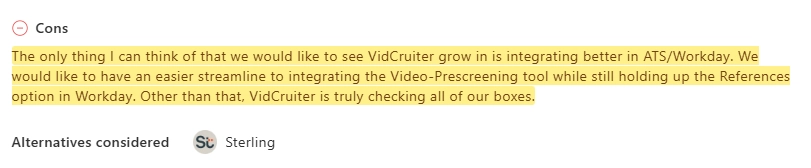
A team using Bullhorn finds itself copying and pasting between systems on a daily basis, and others resort to manual workarounds.

None of these is a deal-breaker in isolation. But together they represent a meaningful gap between the seamless connected workflow VidCruiter promises and the manual touchpoints that remain when your specific tools don't integrate cleanly.
So, when evaluating VidCruiter, it’s not enough to verify whether integrations exist. You should also consider whether the specific connections your daily workflow depends on work the way you need them to.
❌ Limited access to key functions means your team may still be working around the tool rather than through it
The reporting limitation that appears in VidCruiter's reviews is a useful proxy for a broader pattern: some of the platform's most operationally important functions are more restricted than users expect. Pipeline reporting is admin-only, which means hiring managers who want to check candidate status independently can't do so without going through whoever holds admin access. A Program Manager in TA described this as a significant internal friction point — reporting is a core operational need, and when access is limited to admins, every stakeholder update becomes a task for the recruiting team rather than something managers can self-serve.

Final Verdict: When to Use VidCruiter and When to Choose Alternatives
The decision comes down to one question: does your team have the infrastructure, timeline, and budget to get the most out of a fully configurable enterprise platform — or do you need something that removes friction from day one?
Choose VidCruiter when:
- ✅ You need end-to-end interview software to run structured, high-volume hiring at scale. Your hiring process spans pre-recorded screening, live interviews, skills testing, scheduling, and ATS integration — and managing those across separate tools is creating coordination overhead your team can't sustain.
- ✅ Reference checking is a genuine operational bottleneck. You're losing days — sometimes weeks — chasing references by phone, and automated collection that flags suspicious submissions and returns results in 48 hours would meaningfully change how your team works.
- ✅ Your tech stack is built around enterprise systems. You're running Workday, SAP SuccessFactors, Oracle, ADP, or UKG, and you need a platform with native integrations built for that environment rather than workarounds.
- ✅ You have the implementation bandwidth to configure a custom solution. Someone on your team can own the setup process, work through the learning curve with VidCruiter's support team, and maintain the platform as your hiring needs evolve.
Choose Willo when:
- ✅ You need to be screening candidates this week, not in two months. Willo deploys in hours — you can send your first candidate invite the same day you sign up, with no configuration sprint, no IT involvement, and no implementation manager standing between you and your first screen.
- ✅ You want AI that supports your judgment, not replaces it. After a candidate records, Willo Intelligence generates a transcript, a qualitative summary, and an authenticity flag that tells you whether the response looks scripted or AI-generated — so your recruiter spends 10 minutes reviewing a candidate instead of 45, and still makes the call themselves.
- ✅You want pricing you can plan around before your first sales call. Willo publishes both plans up front. Lite runs $59 per live role, pay as you go. Enterprise starts from $3,799 per year on a tailored quote. Neither breaks down into modular features priced separately without a rate card.
- ✅ Your team is lean and needs to stay that way. Willo is built to be run by recruiters without a hiring operations function behind them. No dedicated admin required, no ongoing configuration overhead.
- ✅ Candidate experience is part of how you compete for talent. Candidates complete screening through a browser link with no app download, no account creation, and 24/7 support available if they hit a technical issue.
- ✅ You want ATS integration without manual exports. Willo integrates seamlessly with Ashby, Greenhouse, or SuccessFactors. That means candidate data moves automatically from the moment screening begins, without manual exports or sync workarounds.
Ready to see if Willo is the right fit for your team? → Book a demo and see how it works in practice — setup takes days, not months.