Nearly half of companies operate fully remote or remote-first, transforming how teams hire and assess talent. While traditional in-person interviews and paper resumes still have their place, today's recruitment increasingly demands tools that work across time zones and borders.
But remote hiring brings unique challenges. Talent teams must verify tech compatibility, maintain engagement standards, and evaluate candidates they'll never meet in person.
The right tools turn these challenges into advantages. In this Willo article, we share the seven best remote hiring solutions to help your team find and secure top talent.
What Are Remote Hiring Tools?
Remote hiring tools transform traditional recruitment into streamlined digital workflows. These platforms equip HR teams to source, evaluate, and onboard talent entirely online—expanding reach while reducing time-to-hire.
Key functions include:
- Candidate Sourcing: Target and attract top talent globally through advanced search and outreach.
- Virtual Interviews: Conduct seamless video interviews that eliminate scheduling and location barriers. For tools focused on coordinating and assessing interviews, compare remote interview software.
- Skills Assessment: Deploy precise evaluation tools and frameworks that reveal true candidate capabilities.
- Digital Onboarding: Convert talent into productive team members through structured remote processes.
The right technology stack powers efficient, scalable hiring that drives business growth.
Why are remote hiring tools important?
Given the hiring challenges faced by remote recruitment teams, here's how remote hiring tools are transforming the way recruitment works:
- Eliminating time zone issues: Collect recorded responses when candidates can take part, then let reviewers assess them during their own working hours.
- Saving time: Use connected invitations, scheduling, and reminders to reduce repeated coordination between hiring stages.
- Streamlining collaboration: Give reviewers the same candidate evidence and agreed criteria so they can record feedback before the shortlist discussion.
- Expanding the talent pool: Reach candidates beyond commuting distance where the role and employment arrangement allow. The U.S. Bureau of Labor Statistics reports that 35% of employed people did some or all of their work at home on days they worked in 2025, including hybrid work.
By using the right combination of remote hiring tools, recruitment teams can reduce hiring time, lower costs, and improve the experience for both recruiters and candidates—making it easier to find the best talent no matter where they’re based.
How we evaluated these tools
We compared published vendor information against the hiring jobs each tool supports. Willo publishes this guide and is one of the providers included. The list covers different stages of recruiting, so assess each tool against the work you need it to do.
- Asynchronous capability: Can candidates and reviewers complete the relevant step at different times, or does it require a live meeting?
- ATS integrations: Which connections are documented, and what happens to invitations, responses, feedback, and candidate records between systems?
- Pricing transparency: Is there a published price or a custom quote? Check seats, usage, annual commitments, and the cost of required modules.
- Candidate experience: Check device requirements, account creation, time-zone handling, instructions, and support for the steps candidates complete.
- Security and employment requirements: Review access controls, data retention, and available vendor documentation with the people responsible for procurement and local employment requirements.
For screening, our focus is the evidence your team can review before deciding who progresses. For other stages, such as payroll or background checks, the relevant specialist needs a different evaluation.
10 best remote hiring tools for recruiting teams
Remote hiring involves several different decisions: where to find candidates, how to compare their evidence, and how to employ the person you choose. You can manage those steps across locations with tools that fit each stage.
The U.S. Bureau of Labor Statistics reports that 35% of employed people did some or all of their work at home on days they worked in 2025. That includes hybrid work as well as fully remote arrangements. Your hiring process needs to reflect the locations, working hours, and employment arrangements of the people you're recruiting.
Use the 10 tools below to compare sourcing, screening, applicant tracking, skills assessment, collaboration, background checks, scheduling, and global employment. Start with the stage you need to improve, then check what your existing systems already cover.
10 best remote hiring tools
- Willo: Candidate screening and evidence review before live interview
- LinkedIn Recruiter: Candidate sourcing and outreach
- SmartRecruiters: Applicant tracking and candidate relationship management
- Greenhouse: Structured applicant tracking and team evaluation
- TestGorilla: Pre-employment skills assessments
- Rippling: Onboarding, HR administration, and payroll
- Slack: Internal hiring-team communication
- Checkr: Background checks
- Deel: Global employment and payroll
- Calendly: Interview scheduling
1. Willo
Willo is a candidate screening software designed to simplify and streamline the hiring process for remote teams.

With asynchronous video interviews and skill-assessment questions, Willo allows recruiters to evaluate candidates without the need for live, real-time interactions.
Here’s how it works:
- Recruiters prepare pre-recorded interview questions and share the invite link to hundreds or thousands of candidates.
- Candidates then record their audio, video, and text responses to these questions.
- Recruiters review the responses, alongside their transcripts and summaries, at their convenience.
As part of the review, recruiters can leverage Willo’s AI to make sense of the interview data, rank candidates, and schedule follow-up interviews.

Source: How Tunstall Screened over 700 Candidates In 6 months with Willo
Tunstall is one of the companies that has transformed their hiring processes with Willo. It boosted its screening capacity by 75%, processing over 700 candidates in just six months and saving 15-45 minutes per candidate.
Key features
- Asynchronous Virtual Interviews: Candidates record answers to interview questions at a time that works for them, removing scheduling conflicts and making the process more flexible for both parties.
- Willo Intelligence: AI-powered candidate evaluation that automatically analyzes responses, ranks candidates, and provides detailed insights to help identify top talent quickly and objectively.
- ShowcaseTM: Recruiters can share interviews with members of the hiring team and stakeholders to gather useful feedback.
- Digital Identity Check: Built-in identity verification feature to ensure candidates meet compliance and security standards, verifying their identity with photo and document checks.
- ATS Integration: The platform integrates with Applicant Tracking Systems (ATS) like Greenhouse so that all candidate data can be synced and tracked seamlessly within existing recruitment tools.
- Flexibility with OpenAPI: Offers customization options via OpenAPI, allowing teams to build tailored workflows and integrate Willo into their existing systems.
Pricing
- Growth ($249/month)
- Scale ($399/month)
- Enterprise (custom)

Pros
- Intuitive and user-friendly dashboard
- Available in 18 languages for global teams
- Over 5,000 integrations with existing workflows
- Easy to set up and scalable
- Universal compatibility–runs on any browser
- AI-powered question generator and candidate evaluation tools
- Supports file upload–CVs, pitch decks, etc
Cons
- Your team still needs time to review candidate evidence and decide who progresses.
- Plan for a separate live interview step when a role requires a real-time conversation.
- Candidate sourcing, background checks, and employment administration require their own workflows.
2. LinkedIn Recruiter
LinkedIn Recruiter is a tool for sourcing active and passive talents by leveraging LinkedIn’s extensive professional network comprising millions of professionals worldwide.

Source: Capterra
It provides search filters, matching algorithms, and other tools to source candidates locally or globally. Recruiters get recommendations based on open roles and can use personalized InMail, bulk actions, and customizable templates to engage candidates effectively.
Key features
- Advanced Search Filters: Use over 40 advanced filters to find candidates based on job titles, locations, skills, and more. Save custom filters to streamline future searches.
- Collaboration Tools: Share candidate conversation history, tag teammates, and organize messages by project for better team collaboration.
- Integration with ATS: Seamlessly integrate with your Applicant Tracking System (ATS) to access real-time candidate data without switching platforms.
LinkedIn Recruiter pricing
LinkedIn quotes full Recruiter plans according to seats, hiring needs, region, and contract scope. For an indicative budget, Vendr's February 2026 guide estimates full Recruiter at $8,000–$12,000 per seat annually. That is a third-party estimate, rather than a published LinkedIn rate or a disclosed range of completed Recruiter purchases. Recruiter Lite is a separate product with different access and integration limits.
Pros
- Extensive candidate database
- Intuitive search features save time and effort
- AI-driven suggestions to discover matching candidates
- Wide range of integrations with ATS platforms
Cons (based on GetApp reviews)
- Limited transparency in pricing details upfront
- Occasional disruptive product updates
3. SmartRecruiters
Talent pool and candidate relationship management (CRM) are pivotal to remote hiring, allowing businesses to engage and track candidates across multiple locations.

Source: SmartRecruiters
SmartRecruiters’ platform combines applicant tracking, candidate relationship management, and recruitment marketing. Companies can manage interviews, offers, and onboarding all from one place.
Its integration with tools like Zoom, LinkedIn, and Docusign ensures effective collaboration internally within the hiring team and externally with candidates for an efficient remote hiring process.
Key features
- CRM for Recruiting: The built-in candidate relationship management system helps track and engage with top talent across multiple channels.
- Collaboration Tools: The platform provides team collaboration features, making it easy for hiring teams to share feedback and make decisions together.
- Multi-Channel Marketing: Companies can advertise jobs across various platforms to widen their reach.
SmartRecruiters pricing
SmartRecruiters advertises its Essential plan from $14,995, with other packages quoted separately. The public page doesn't state the billing period next to that figure, so confirm the term in your quote. For budgeting context, Vendr reports annual contracts of $15,000–$60,000 for small deployments of 3–10 recruiter seats. That observed range covers different configurations and should be checked against the package you're buying.
Pros
- Combines recruitment marketing, collaboration, and applicant tracking into one solution
- Suitable for businesses of all sizes, from startups to large enterprises
- Seamless integration with other HR tools like calendars and interview tools
- Dedicated mobile app for remote access
Cons (based on G2 reviews)
- The user interface can be tricky to navigate
- Screening questions are not the easiest to manage
4. Greenhouse
Greenhouse is an all-in-one hiring platform supporting talent sourcing, interviewing, and onboarding, it shines most for its applicant tracking system (ATS).

Source: Capterra
Greenhouse's ATS allows you to manage job postings, track applicants, and seamlessly move candidates through the remote hiring process. It also offers features like shared calendars, task assignments, and real-time updates to facilitate collaborative hiring among the hiring team.
Key features
- Customizable Workflows: Allows companies to create and customize hiring workflows to fit their specific needs and processes.
- Candidate Experience Tools: Greenhouse focuses on creating a seamless and engaging experience for candidates, from application to onboarding.
- Integration: Connects easily with over 500 pre-built integrations like Slack, Microsoft Outlook, Okta, Expensify, and other workflows on the open API like Willo.
Greenhouse pricing
Greenhouse offers custom quotes for Core, Plus, and Pro. As an observed-contract reference, Vendr displays $10,188–$74,877 per year, with a median of $26,611 across 880 purchases in the retrieved snapshot. Those figures span buyers and configurations; they aren't Greenhouse list prices or a starting price for a particular plan. Ask for a quote that specifies hiring volume, required features, implementation, and any additional products.
Pros
- Integration with calendars
- Scalability and robust reporting
- Offers customizable scorecards
- Excellent customer support with chat
Cons (based on Capterra reviews)
- Managing multiple permissions isn’t straightforward
- Poor document format compatibility
- Limited customization capabilities
5. TestGorilla
TestGorilla provides comprehensive pre-employment assessments that help remote hiring teams evaluate candidates beyond their resumes.

Source: TestGorilla
The platform offers scientifically validated tests across technical skills, cognitive abilities, personality traits, and cultural alignment to ensure candidates are the right fit for both the role and organization.
Key features
- Extensive Test Library: Offers access to over 400 pre-designed tests created by specialists or create custom assessments tailored to job roles.
- Scalability: For large companies, TestGorilla can handle thousands of applicants with ease, providing rankings in minutes.
- Integration: Compatible with major Applicant Tracking Systems (ATS) like Greenhouse, Bamboo, Workable, etc.
Pricing
TestGorilla offers tiered pricing plans:

- Free Plan: Includes limited access to assessments and basic features.
- Pay-As-You-Go Plan: Starts at $75 per month for 1-15 employees.
- Pro: Starts at $115 per month for 1-15 employees.
Pros
- Facilitates quick, automated assessments
- Wide range of skill assessments ensures thorough candidate evaluation
- User-friendly dashboard for managing tests and reviewing results
- Supports single and multi-skill assessments
Cons (based on GetApp reviews)
- Limited test questions for some disciplines
- Limited customization for certain assessments
- Full experience requires paid plans
6. Rippling

Source: Rippling
Rippling combines HR, IT, and finance tools into a single platform, enabling companies to hire, pay, and manage talent efficiently and compliantly across multiple locations.
Key features
- Payroll Management: Automated salary processing, tax compliance, and benefits integration.
- Onboarding: Streamlined workflows for quick and efficient new hire onboarding.
- Scalability: Manages all employee data and operations in one place, no matter your business’s size.
Rippling pricing
Rippling publishes a starting price of $8 per employee per month plus a monthly base fee. Your quote depends on employee count and the products you select. For broader budgeting context, Vendr reports $15–$30 per employee per month for teams of 10–50 employees using a core platform with two or three modules.
Pros
- Seamless integration of HR, IT, and payroll systems
- Intuitive and user-friendly interface praised for ease of use
- Support for multi-state and global payroll needs
- Extensive integrations to keep the work flowing
Cons (based on G2 reviews)
- Customer support is limited in scope
- Features overload can be overwhelming
- Not the most intuitive navigation
7. Slack
Slack facilitates remote hiring through dedicated channels where teams can share candidate information, coordinate interviews, and make decisions.

Source: G2
The platform integrates with recruitment tools and allows teams to organize discussions by role or hiring stage while maintaining searchable communication history.
Key features
- Customizable Channels: You can create channels for specific roles, recruitment stages, or teams, keeping conversations organized and focused.
- Automation: With Slack’s built-in workflows and bots, you can automate repetitive tasks, such as scheduling interviews or sending follow-up messages.
- Integration with Recruitment Tools: Syncs with tools like Willo, Greenhouse, Lever, and Checkr to streamline the hiring process.
Pricing
Slack offers a free version with basic features and limitations on message history and integrations.

The paid plans–Pro ($7.25 per user/month), Business+ ($12.50 per user/month), and Enterprise Grid (Custom Pricing), unlock this and other features.
Pros
- Simplifies communication between hiring teams
- Supports file sharing within channels or direct messages
- Offers seamless integration with multiple ATS tools
- Streamlines interview scheduling and feedback sharing
Cons (based on Capterra reviews)
- Reported cases of invading notifications, especially for larger teams
- Setup and navigation can sometimes be “clunky”
- Additional features, such as unlimited chat history storage, require paid plans
8. Checkr
Best for: Background checks for candidates you're considering for employment.

When a role calls for background checks, you need to review the relevant records separately from interview performance. With Checkr, you can order reports covering checks such as criminal history, employment, or education, depending on the package and location.
Key features
- Choose checks for the role and country, including available international screenings.
- Connect background-check workflows to supported recruiting systems.
- Order reports on a pay-as-you-go basis.
Pros
- US and international options in one provider.
- Published entry pricing for common US packages.
Cons
- Court and database access fees can increase the cost beyond the package price.
- International availability and turnaround depend on country and account setup.
Pricing
US Basic packages start at $29.99 per report. International Basic checks start at $32 per check, with pricing varying by country. Check the package contents and any additional fees before ordering.
9. Deel
Best for: Employing and paying people across countries.

Once you've selected a candidate abroad, you need an employment arrangement for their location. Deel's Employer of Record service lets you employ people through its local entities, with employment contracts, payroll, and benefits administered through the service.
Key features
- EOR services for employment in supported countries.
- Separate products for global payroll and contractor management.
- Employee access to payslips, time off, and expenses.
Pros
- An employment option when you don't have your own local entity.
- Employment and payroll administration in one service.
Cons
- EOR, payroll, and contractor management have different prices and scopes.
- Country coverage and the proposed employment arrangement need checking before you commit.
Pricing
Deel lists EOR services at $599 per employee per month and contractor management at $49 per contractor per month. Confirm the country-specific quote and employment costs beyond the service fee.
10. Calendly
Best for: Booking live interviews across calendars and time zones.
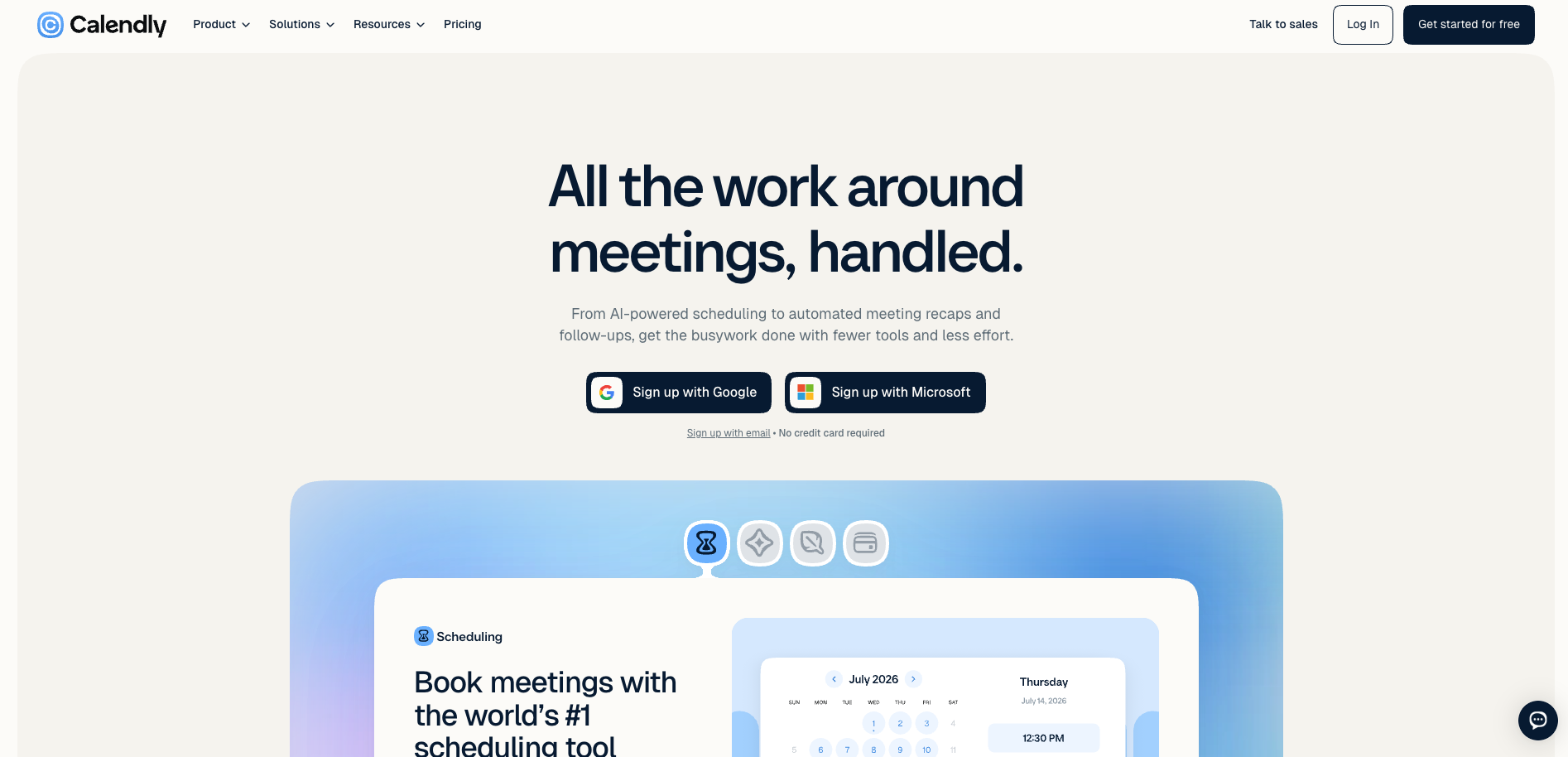
When the next hiring step needs a live conversation, candidates need a practical way to book it. With Calendly, you share available times through a booking link and connect your calendar so candidates can choose a slot.
Key features
- Booking pages with calendar availability and automatic time-zone handling.
- Reminders and additional event types on paid plans.
- Round-robin and team scheduling on the Teams plan.
Pros
- Free entry plan for one event type and one connected calendar.
- Paid options for distributing meetings across a recruiting team.
Cons
- Team scheduling requires a paid plan.
- You still need screening, assessment, and candidate-record workflows elsewhere.
Pricing
Calendly offers a free plan. On annual billing, Standard costs $10 per seat per month and Teams costs $16 per seat per month. Check which scheduling functions your interview process requires before choosing a plan.
Building your remote hiring stack
Map the hiring steps your team needs to run across locations. Keep candidate records in your ATS, then check whether its sourcing, assessment, and scheduling functions cover your requirements. Add dedicated tools where you need more depth.
Before you buy, follow one candidate's path through the proposed workflow. Check how their invitation is sent, where responses and feedback appear, and who owns the next step. Compare the full cost of seats, usage, integrations, and employment services. A smaller set of connected tools is easier to assess than several overlapping subscriptions.
Why teams choose Willo for screening
When candidates and reviewers work different hours, a consistent screening process helps your team compare responses before booking live interviews. With Willo, you collect job-related evidence on a schedule that works across locations.
Set the questions and criteria for the role. Candidates submit video, audio, or text responses, and your reviewers compare the evidence. Insights prepares summaries and scores against your Blueprint with human review. Your team decides who progresses.
For instance, if your reviewers work in different time zones, they can review the same recorded responses before agreeing on a shortlist.
Watermark reports an 84% interview response rate with Willo and lets candidates complete interviews at any time of day. That's a customer-reported result from its own hiring process.